Dark Theme Transmission Web UI
Having a dark color scheme is becoming more and more popular. This post covers how to create and run a transmission docker container modified to have a dark website UI. The linuxserver.io transmission docker images provide the base, taking care of all the nitty gritty in getting transmission installed and ready for action. Installing transmission-web-soft-theme on top of the transmission image will give a nice dark web UI.
Credit to the transmission-web-soft-theme for the screenshot of the theme in action.
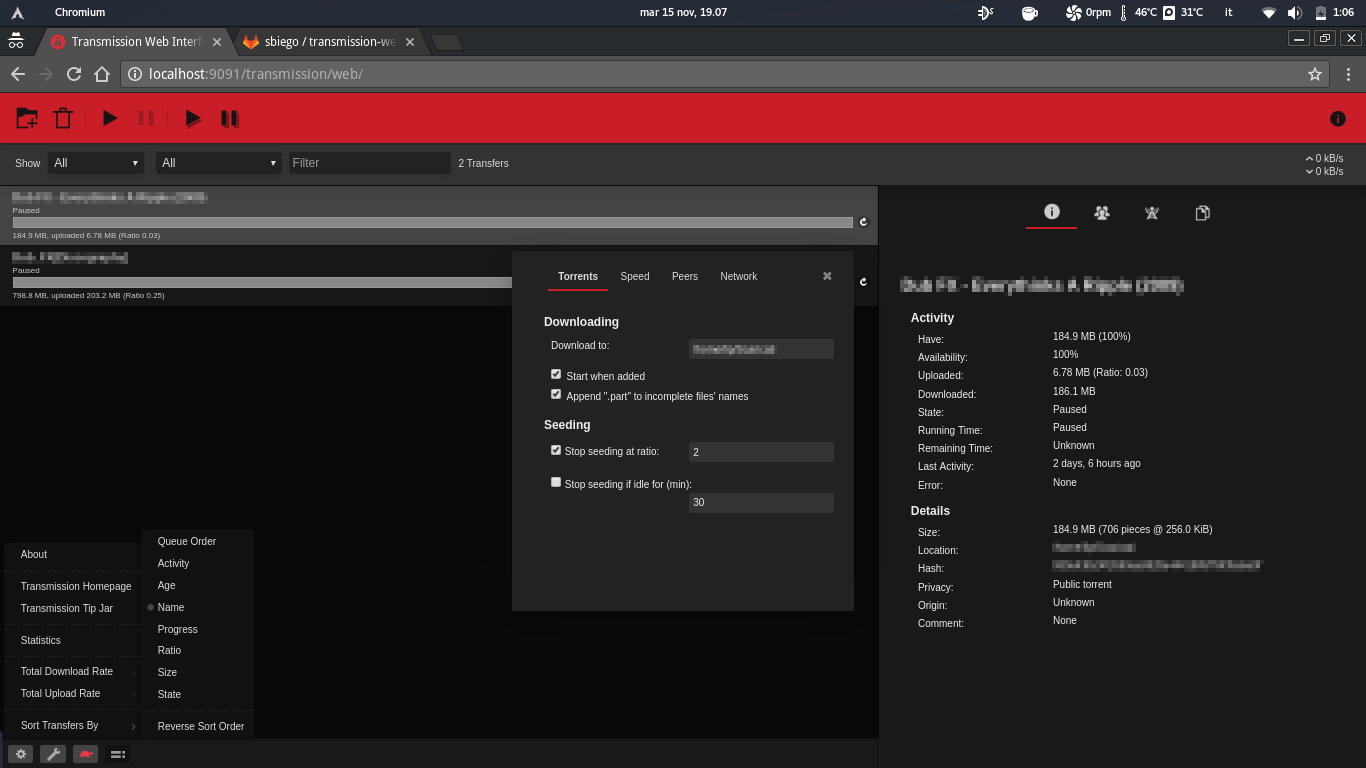
To get everything up and running we need:
Dockerfiledefining our changes to thelinuxserver/transmissionimage.- A
docker-compose.ymltelling docker how to run the container image.
The Dockerfile
The FROM statement
sets the base image over which we can make our custom changes to
linuxserver.io.
Using RUN it is
possible to execute arbitrary shell commands. In this case the command is to
download the
transmission-web-soft-theme
repository as a tar ball, extracting the files, and running the install
script provided in the theme repository. All according to the installation
instruction on the project wiki
Finally, we expose the necessary ports and declare the persistent volumes for configuration and downloads.
Save the Dockerfile in an empty directory.
FROM linuxserver/transmission:latest

RUN \
    curl --output transmission-web-soft-theme-master.tar \
    https://git.eigenlab.org/sbiego/transmission-web-soft-theme/-/archive/master/transmission-web-soft-theme-master.tar && \
    tar --extract -f transmission-web-soft-theme-master.tar && \
    cd transmission-web-soft-theme-master && \
    printf '%s\n' 1 | bash install.sh && \
    rm -rf transmission-web-soft-theme-master.tar transmission-web-soft-theme-master

EXPOSE 9091 51413
VOLUME /config /downloads
Docker Compose
In the same folder as the Dockerfile above create a docker-compose.yml
file. Specify where save configurations and downloaded files. Also change the
time zone if necessary. Documentation for all parameters
version: "3"

services:
  transmission:
    build: .
    container_name: transmission
    restart: unless-stopped
    environment:
      PUID: 1000
      PGID: 1000
      TZ: Europe/Stockholm
    volumes:
      - <path to config>:/config
      - <path to downloads>:/downloads
    ports:
      - 9091:9091
      - 51413:51413
      - 51413:51413/udp
Running the container
In the folder where you placed the Dockerfile and docker-compose.yml run
the command to build and run the container. If you haven’t already you will
need to install Docker and docker-compose.
docker-compose up -d --build
Go to localhost:9091 and enjoy your dark themed transmission web UI.